Real browser, not a frame
Native multi-tab browsing with Chromium webContentsViews. Back, forward, reload, address bar, drag-resizable rail. macOS-first, Windows and Linux ready.
Multi-tab browsing, a persistent assistant rail, and permissioned automation — all in a single original app for macOS, Windows, and Linux.
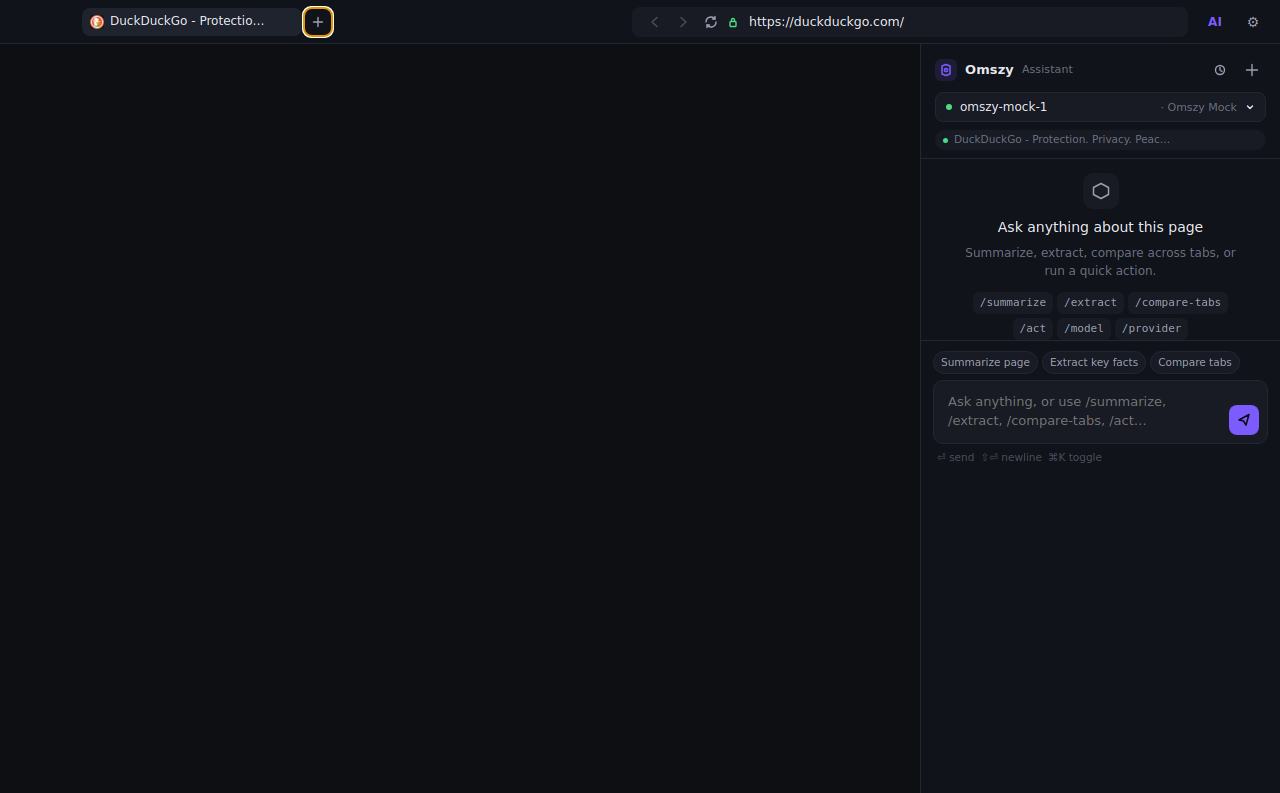
Native multi-tab browsing with Chromium webContentsViews. Back, forward, reload, address bar, drag-resizable rail. macOS-first, Windows and Linux ready.
Every chat automatically receives the page’s title, URL, visible text, selected text, and a sanitized actionable-DOM hint set — tagged as untrusted input.
Bring Ollama, LM Studio, OpenAI-compatible endpoints, or MiniMax. Switch per chat. Mock provider ships by default for offline dev.
/act plans and runs browser actions. Every risky step asks before it executes. Purchases, 2FA, passwords are blocked by design.
Power-user density. Compact spacing, no flashy gradients. Original visual identity — not a clone.
Every chat, automation run, and permission decision is recorded in a local SQLite file you can query.
Plug in any of the following out of the box. Add a custom OpenAI-compatible endpoint with one click.
Local, no API key.
http://127.0.0.1:11434Local OpenAI-compatible.
http://127.0.0.1:1234Hosted, key required.
https://api.openai.com/v1Hosted, key required.
https://api.minimax.io/v1Always available, offline.
omszy-mock-1Add any OpenAI-compatible endpoint in settings.
vLLM · Groq · Together · OpenRouter
Type /act find the latest Electron release notes. Omszy plans a sequence of browser actions, shows you the steps, then executes one at a time — pausing for confirmation on anything risky.
{ "steps": [
  { "action": "navigate", "url": "https://github.com/electron/electron/releases" },
  { "action": "waitFor", "selector": "h1", "ms": 1500 },
  { "action": "extractText", "selector": "article", "variable": "release_notes" }
] }
Sensitive actions (purchases, password entry, 2FA, checkout, destructive) are detected and refused by the planner. Even if forced, the executor demands explicit confirmation.
macOS first · Windows and Linux compatible.
Package the app yourself: npm run package — outputs to apps/desktop/release/.